Ten Employee Cybersecurity Best Practices

Table of Contents
Employees are at the epicentre of a tsunami of human-centric cyberattacks. However, they are also a source of data loss from simple accidents. According to one report, a staggering 88% of data breaches are caused by employee mistakes. Whether by hack or by accident, security incidents can be prevented by following cybersecurity best practices for employees.
Common Security Threats in the Workplace
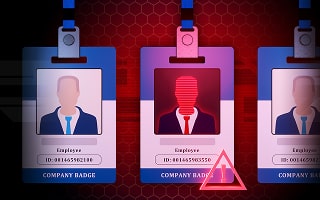
Employees are the custodians of data. They create, share, and store it in corporate app accounts. Employees often have access to sensitive areas of a network. As a central point of access, employees are in the sights of cybercriminals who look to exploit that access. The following threats in the workplace are where an employee becomes vulnerable to a cyberattack:
Phishing
Phishing threats are ubiquitous and remain a popular tactic among cybercriminals. A study from TitanHQ and Osterman Research found that almost two-thirds (64.3%) of businesses expect phishing threats to increase. Phishing utilizes common communication channels, including email (phishing and spear phishing), text messages (smishing), mobile apps, phone calls (vishing), and social media, to manipulate employees into performing an action that benefits the attacker. For example, clicking a malicious link can direct the employee to a phishing site that steals login credentials.
Accidental Data Exposure
Accidents are commonplace in the workplace. People share passwords, and sensitive information may be left on desks. They may forget to lock computers and devices. Approximately 88% of data breaches are attributed to employee errors. Accidents take many forms, but misdirected emails are one of the most common. In the UK, a recent email misdirection has caused national outrage when a government employee emailed a spreadsheet outside of "authorized government systems". The spreadsheet contained the personal information on 19,000 Afghan citizens, putting their lives at risk.
Malware and Ransomware Threats
Employees are at the fulcrum of malware and ransomware threats. Cybercriminals exploit human behavior to gain unauthorized access to a network, where they can install malware. Ransomware attackers use Phishing-as-a-Service (PaaS) alongside Ransomware-as-a-Service (RaaS) to get quick and easy access to the tools needed to exploit employees. Stolen data often ends up on the dark web, seeding further attacks. The Colonial Pipeline ransomware attack originated from leaked employee passwords that were available on the dark web. Colonial Pipeline paid $4.4M in a ransom payment.
Scams
Business Email Compromise (BEC) scams have been called the $55 billion scam by the FBI. The scams use a mix of phishing, social engineering, and account takeover to trick employees into paying out large sums of money to a hacker.
Social Engineering
Many attacks that target employees and the extended supplier and contractor ecosystem exploit human psychology to manipulate victims. Social engineering is an essential aspect of phishing and scams like BEC. Cybercriminals use a wide range of psychological tactics to ensure that employees fall for a scam and act in a way that benefits the cybercriminal. Increasingly, these tactics include generative AI and Deepfakes. In a recent spate of ransomware attacks on UK retailers, help desk staff were socially engineered into providing login credentials to attackers who impersonated employees.
Why are Employees a Source of Security Issues?
Cybercriminals look for easy wins. Employees often provide direct routes into a corporate network or account. Employees may also be at risk of data leaks and other security risks because the issue is not top of mind. The core reasons why cybercriminals target employees are as follows:
- Attackers can manipulate human behavior to get people to share login credentials and other sensitive data willingly.
- Employees often lack the knowledge to counter attacks.
- Many staff members may engage in risky behaviors, such as password sharing and a lack of attention to security, if not educated about these insecure practices.
- Poor identity management of access privileges makes employees a focal point for unauthorized access.
Top Ten Best Security Tips for Employees
Employees must be educated about the risks in the workplace and in remote working. The following security tips for employees will help reduce the risk of successful cyberattacks:
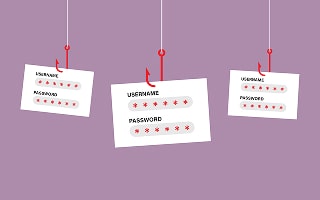
#1 Password Tips
Passwords are at the heart of unauthorized access, with credential theft leading to security incidents. Employees may share passwords with colleagues or reuse passwords across multiple applications.
Password tips to share with employees include the following:
- Always use a robust password. Strong passwords should use a mix of uppercase letters, lowercase letters, numbers, and symbols. Employees may prefer to use multiple memorable words that are independent of the employee's identity, alongside numbers and symbols. However, many apps will mandate a specific password policy.
- Never share passwords with colleagues, family, or friends.
- Be wary of being asked to reveal your password on websites.
- Avoid writing passwords down, unless they are in a secure place.
- Never reuse passwords for access to applications.
- Consider using a password manager.
#2 Use MFA/2FA
Wherever possible, use multi-factor authentication (MFA). However, educate employees about the use of social engineering to circumvent MFA. For example, MFA fatigue, also known as MFA bombing, is used to compromise certain types of two-factor authentication factors, such as an approval request. The attackers send multiple approval requests until the victim finally clicks accept.
#3 Secure Internet Use
Educate employees about secure internet use. Teach employees to recognize obvious signs that a website may be a phishing site. Safe internet use also requires mindful browsing to ensure that employees remain vigilant when searching for information on the web or choosing to download content and software. However, it is also essential to be wise about internet ruses; the use of HTTPS in a domain URL adds credibility to identifying a safe site. However, in recent years, HTTPS spoofing has made it increasingly difficult to distinguish between legitimate and malicious sites.
#4 Secure Mobile Use
BYOD is a common practice in organizations. The safe use of mobile devices is a top tip for reducing employee security risk. Teach employees about device security, including:
- Be cautious about downloading unsanctioned apps.
- Always use a secure connection to the internet and the corporate network, for example, use a VPN to connect.
- Keep the mobile device patched.
- Install next-generation antimalware.
It is worth noting that mobile device management (MDM) solutions can help automate many of the security tasks needed to keep mobile devices secure.
#5 Remote Working and Security
Remote work is now the norm in many organizations. However, it comes with additional risks, including the potential for using insecure Wi-Fi connections to access work applications. A secure remote work policy should include educating staff about the importance of using a company VPN or other secure connection when working.
Staff should also be trained on the importance of regular patching of apps and the operating system. Companies can help mitigate the risks associated with remote working by implementing endpoint protection, secure connectivity solutions, and enforcing least privilege access controls.
#6 Security at Home
The home environment of remote workers should also be subject to enhanced security, including the following:
- Staff should not share work passwords with family members or friends.
- Routers must be secured, including changing the default router password.
- Work devices should not be shared with anyone in the home environment.
- Devices should be locked when not in use.
- Passwords used for personal apps and social media must never be reused for work access.
#7 Don't Overshare on Social Media
Sharing information on social media can lead to sensitive data leaks. Staff should never post company information or any other corporate or customer data on personal social media accounts. Business social media accounts should be governed by security policies to prevent the inadvertent posting of sensitive information.
#8 Techniques and Tactics for Handling Sensitive Data
Sensitive data can be easily exposed unless it is handled correctly. Misdelivery of emails, social posting, leaving a computer screen open on a spreadsheet, and even leaving sensitive documents on a printer can expose data and leave a company open to noncompliance fines. Educate employees about the safe handling of sensitive data.
#9 Educate Employees to Recognize Phishing
Security awareness training helps employees recognize phishing attacks. The training utilizes a combination of interactive and gamified content, including videos and quizzes, to help staff identify phishing attacks. The training is often augmented with simulated phishing exercises. These involve sending employees regular fake phishing emails to test their ability to identify phishing. The fake phishing emails will provide real-time teaching events that demonstrate to the employee what would happen if they click a link or download an attachment.
#10 Report Security Incidents
Reporting security incidents promptly and accurately is a crucial part of security incident response and mitigation. Companies should encourage employees to report suspected phishing and other potential security breaches without fear that they will be reprimanded. Security incident reporting portals can help employees record incidents, guiding them in providing information that enables an IT team to respond appropriately.
By following these best practices, it's possible for businesses to avoid the most common security breaches and to maintain greater security overall. Employees should be educated about these best practices and operational policies selected to foster a more secure operating environment.
FAQs
What is security awareness training?
Security awareness training covers a broad range of topics that help to educate employees on security risks in the workplace. The training is usually interactive and fun, with some modules gamified to help improve learning outcomes. Topics cover areas such as password hygiene, phishing recognition, safe internet and mobile use, remote working, vigilance around social engineering, and data protection. Employees receive regular training to ensure they remain aware and vigilant, and to account for any changes in the threat landscape.
What are simulated phishing exercises?
Security awareness training is often augmented with simulated phishing exercises. The cloud-based simulator ensures that the fake phishing emails can be configured, updated, and delivered centrally. The central console gathers training data and generates reports.
Simulated phishing platforms are configured to send out fake phishing messages to employees that reflect the type of phishing threats an organization and its staff are at risk from. If an employee engages with the fake phishing emails, a training lesson screen will pop up, explaining why this is a risky thing to do.
Some phishing simulation emails may link to a fake malicious website. Any employee who navigates via a link to the spoof site will be shown what could happen if they interact with the site.
What is a culture of security, and how can my company achieve it?
A culture is created when social norms, beliefs, and practices are upheld by a society. A culture of security is one where security and risk awareness become part of the workplace. To such an extent that individual employees collaborate to ensure the company is protected against cyberattacks by working securely.
A culture of security is something that is built over time. Security awareness training and company management that encourage a security-first mindset help create a workplace that prioritizes security.